
ERP Software Buying Guide for Businesses: Requirements, Vendor Evaluation & Implementation
ERP Software buying process is not simply a software-purchasing decision. It can affect how finance, sales, purchasing, inventory, HR, production and management teams work every day.
Many businesses begin looking for ERP Software when spreadsheets, separate applications and manual approvals are no longer enough. But introducing ERP before the organization understands its own processes can create a different problem: an expensive system that employees struggle to use.
The right starting point is therefore not a long feature list. It is a clear understanding of what the business wants to improve. This ERP Software Buying Guide explains how businesses in Bangladesh can prepare for an ERP project, define requirements, compare vendors, understand cost factors and plan implementation without choosing a platform only because it promises the largest number of modules.
Businesses already evaluating a commercial ERP solution can review our dedicated ERP Software in Bangladesh page for modules, implementation information and demo options.
Map Your Existing Business Processes
ERP implementation usually touches several departments. That means the business should understand how information currently moves between those departments.
Take purchasing as an example. A company’s existing process might be:
Department Request → Manager Approval → Procurement → Purchase Order → Receiving → Accounts
Another company may follow a completely different process.
Before selecting software, document:
- Who starts the process
- Who approves it
- Which information is required
- Which records are created
- Which department receives the information next
- Which reports management uses
- Where delays normally occur
This process map gives ERP vendors something concrete to work with. Without it, demonstrations often become generic tours of menus and dashboards.
Decide Which ERP Modules You Actually Need
Buying every available module at the beginning can make implementation more complicated than necessary.
Instead, separate modules into:
Required for initial implementation
Possible future expansion
Finance and Accounting
Finance requirements may include:
- General ledger
- Receivables
- Payables
- Cash and bank records
- Financial statements
- Expense management
If the organization needs only financial management rather than an integrated ERP environment, a dedicated accounting system may be more appropriate.
Sales and Customer Management
Consider whether the organization needs:
- Quotations
- Sales orders
- Customer records
- Pricing rules
- Sales approvals
- Sales reports
Purchasing and Procurement
Typical requirements can include:
- Purchase requisitions
- Approval workflows
- Purchase orders
- Supplier information
- Goods receiving
Inventory and Warehouse
Businesses handling physical products may need:
- Stock receipts and issues
- Warehouse information
- Transfers
- Adjustments
- Reorder information
- Stock reporting
HR and Payroll
Some ERP projects also include:
- Employee records
- Attendance
- Leave
- Payroll
- User-related workflows
Production and Manufacturing
Manufacturing requirements can become significantly more specialized.
They may involve materials, production orders, BOM-related processes, quality control or production planning.
Businesses with extensive manufacturing requirements should evaluate a specialized solution rather than forcing detailed manufacturing workflows into a generic ERP scope. GCTL has a separate Manufacturing ERP Software service for this reason.
Evaluate ERP Vendors with Real Business Scenarios
A polished presentation is useful, but it should not be the only basis for selecting an ERP provider.
Ask vendors to demonstrate real workflows using examples similar to your business.
Example Purchase Scenario
Ask the vendor to show:
Request → Approval → Purchase Order → Goods Receiving → Supplier Record → Finance
Example Sales Scenario
Ask them to show:
Customer → Quotation → Sales Order → Stock → Invoice → Accounts
Example Management Scenario
Ask:
How does management see pending approvals, sales, stock and financial information?
A scenario-based demonstration makes it easier to understand whether the software actually matches your process.
Questions to Ask an ERP Vendor
A structured vendor interview can prevent many problems later.
Business and Functional Questions
Ask:
- Have you implemented similar workflows before?
- Which requirements are standard and which require customization?
- Can modules be introduced gradually?
- How are approvals configured?
- How are branches managed?
- Can reports be customized?
Technical Questions
Ask:
- What deployment options are available?
- How are users and permissions handled?
- Can the system integrate with existing platforms?
- Is API integration available where required?
- How are backups handled?
- What data export options are available?
Implementation Questions
Ask:
- Who manages the implementation?
- Who prepares the data?
- What training is included?
- How is testing performed?
- What happens during go-live?
- What support is available afterward?
Commercial Questions
Ask:
- What is included in the quoted price?
- Are customization charges separate?
- Is data migration included?
- Is training included?
- Are integrations included?
- What are the ongoing support or hosting costs?
Clear answers are usually more valuable than a large feature list.
Plan ERP Reporting Before Implementation
Businesses often focus heavily on data entry and discuss reports only near the end of the project.
That can be a mistake. Management reporting should be part of the requirements stage.
List the reports currently used. Then ask:
- Who uses this report?
- What decision does it support?
- Which data does it require?
- How often is it needed?
- Does it need branch filtering?
- Does it need exporting?
This helps vendors understand what data must be captured throughout the workflow.
Test ERP with Real Transactions
ERP testing should not be limited to checking whether a screen opens.
Test complete processes. For example:
Sales Test
Create customer → create sales order → check stock → complete transaction → review financial impact → check report.
Purchase Test
Create request → approve → purchase → receive goods → check inventory → review supplier record.
User Permission Test
Log in as different users and confirm that each user can access only the appropriate areas.
Realistic testing catches problems that isolated feature testing may miss.
Use a Phased ERP Rollout When Appropriate
A large ERP project does not always need to go live across every department at the same time.
A phased rollout can reduce disruption. For example:
Phase 1
Finance, sales, purchasing and inventory
Phase 2
HR and payroll
Phase 3
Production, CRM, advanced reports or additional integrations The appropriate sequence depends on the organization.
The purpose of phased implementation is not simply to make the project longer. It is to introduce manageable changes while the organization learns how the new system affects daily work.
ERP Training Is Part of Implementation
Even technically strong software can fail if employees do not know how to use it.
Training should focus on job responsibilities.
A salesperson does not need the same training as an accounts manager.
Training may therefore be organized by:
- Department
- User role
- Workflow
- Management responsibility
Useful training should allow users to perform actual tasks rather than simply watch a presentation.
Define Post-Launch Support Before Signing
ERP requirements continue after launch.
Employees may discover:
- New reporting needs
- Workflow adjustments
- User-access changes
- Integration requirements
- Data issues
- Additional module requirements
Before selecting a vendor, clarify:
- How support requests are submitted
- Support availability
- What maintenance includes
- How additional work is priced
- Who handles backups
- Who manages updates
- How future customization is handled
The answers should be part of the commercial and implementation discussion.
Common ERP Buying Mistakes
Several problems can be avoided before implementation begins.
Choosing Only by Price
The cheapest proposal may exclude migration, training, customization or support.
Compare scope first.
Buying Too Many Modules
Unused modules can add complexity.
Start with genuine requirements.
Choosing Before Mapping Processes
ERP should support the business workflow.
If the workflow has not been documented, configuration becomes guesswork.
Ignoring Data Quality
Duplicate customers, inconsistent product codes and incorrect balances can create implementation problems.
Skipping User Involvement
Employees who perform the actual work often understand process problems better than management alone.
Include relevant users during requirements and testing.
Assuming ERP Automatically Fixes Poor Processes
ERP can automate processes, but automating a poorly designed process may simply make the problem move faster. Review the workflow before configuring the system.
Prepare for Your First ERP Vendor Meeting
Before meeting a vendor, prepare a short requirements document containing:
- Company and industry
- Number of branches
- Number of users
- Departments
- Current software
- Main operational problems
- Required modules
- Important workflows
- Approval requirements
- Required reports
- Existing data
- Integration requirements
- Deployment considerations
- Training expectations
- Support expectations
This document does not need to be highly technical.
Its purpose is to help the vendor understand the business before recommending a solution.
Final ERP Selection Checklist
Before approving an ERP project, confirm that you understand:
- What business problems the ERP will address
- Which modules are included
- Which processes require customization
- How user roles will work
- How data will be migrated
- Which integrations are required
- Which reports are included
- What training is provided
- How implementation will be managed
- What deployment model will be used
- What ongoing costs apply
- What support is included
- Who owns project decisions internally
If several of these points remain unclear, the business may not yet be ready to sign the ERP agreement.
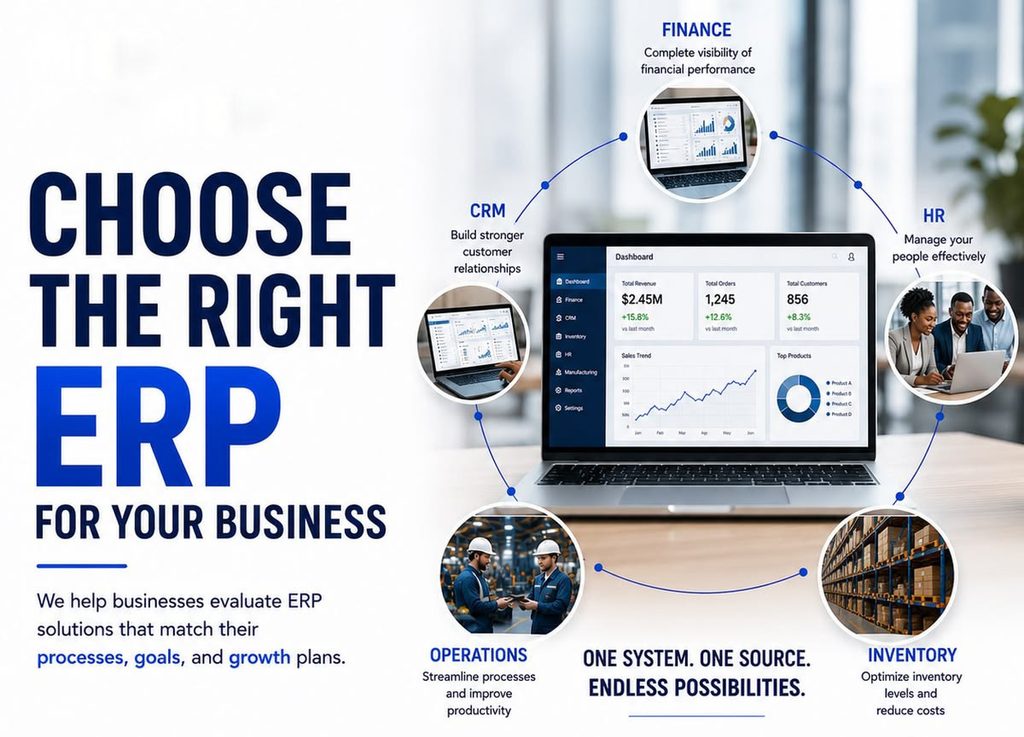
Start with the Business Problem, Not the ERP Features
One of the most common ERP-selection mistakes is beginning with questions such as:
Which ERP has the most modules? A better question is:
Which operational problems are we trying to solve?
A company may be considering ERP because:
- Sales and inventory records do not match.
- Purchase approvals take too long.
- Several departments maintain separate spreadsheets.
- Management reports require manual consolidation.
- Customer or supplier balances are difficult to track.
- Multiple branches use different processes.
- Employees repeatedly enter the same information.
- Production and inventory data are disconnected.
- Management has limited visibility across departments.
These are business problems. ERP modules become relevant only after those problems are understood.
Write Down Your Top Three ERP Objectives
Before speaking with vendors, management should identify the three most important outcomes expected from the project.
For example:
- Connect sales and inventory information.
- Introduce a structured purchase approval process.
- Produce management reports without consolidating multiple spreadsheets.
These objectives become useful later when evaluating demonstrations and proposals.
Separate Generic ERP Needs from Industry-Specific Requirements
Industry matters.
A distribution business and a garments manufacturer may both use finance, inventory and HR modules, but their operational processes are very different.
Trading and Distribution
Important requirements may include:
- Sales
- Purchasing
- Inventory
- Supplier management
- Customer credit
- Warehouses
- Branch reporting
Manufacturing
Manufacturers may additionally require:
- Materials planning
- Production tracking
- BOM
- Work orders
- Quality-related workflows
- Production costing
Garments and Textile
Garments operations may require specialized functions related to merchandising, style/order handling, fabric and accessories, production and commercial workflows.
GCTL maintains a dedicated Garments ERP Software page because these requirements go beyond the scope of a generic ERP buying guide. GCTL Infosys
Service Businesses
Service organizations may place more emphasis on:
- Customers
- Projects
- Service requests
- Expenses
- Approvals
- Billing
- Management reporting
The purpose of industry analysis is not to select software simply because it has an industry label. It is to identify which workflows genuinely differ.
Prepare an ERP Requirements Checklist
A requirements checklist makes vendor comparison much easier.
Instead of saying:
We need stock by warehouse, inter-warehouse transfers, user permissions and a stock movement report.
More specific requirements produce more useful demonstrations and quotations.
Your checklist can include:
Business Structure
- Number of companies
- Number of branches
- Number of warehouses
- Departments
- Approximate number of users
User Access
- User roles
- Department-level access
- Branch-level access
- Approval authority
- Administrative users
Transactions
- Sales
- Purchases
- Inventory
- Finance
- Production
- Payroll
Reporting
- Daily management reports
- Financial reports
- Sales reports
- Stock reports
- Branch reports
- Department reports
Integrations
- Existing software
- Website or ecommerce systems
- Biometric devices
- Barcode hardware
- Payment services
- SMS or email
- Third-party APIs
Not every organization will need all of these.
Understand ERP Cost Before Comparing Prices
ERP quotations can vary substantially because vendors may be quoting different scopes.
Two proposals with similar prices may include completely different services.
ERP cost can be affected by:
| Cost Factor | Why It Matters |
| Modules | More business functions increase implementation work |
| Users | User and permission requirements can affect scope |
| Branches | Multi-location workflows add complexity |
| Customization | Unique business processes require additional work |
| Integration | Connecting existing systems requires technical effort |
| Data Migration | Existing records may need cleaning and import |
| Deployment | Infrastructure requirements can vary |
| Training | More teams require additional preparation |
| Support | Maintenance scope differs between providers |
When comparing proposals, request an itemized scope. Do not compare only the final number.
The commercial GCTL ERP page provides more detail about ERP pricing factors and available ERP modules.
Cloud, On-Premise or Another Deployment Model
Deployment decisions should follow operational requirements.
Cloud Deployment
Cloud-hosted ERP can be useful when authorized users need access from several locations. Factors to consider include:
- Internet connectivity
- Hosting responsibility
- Backup arrangement
- Access requirements
- Data policy
On-Premise Deployment
Some organizations may prefer ERP infrastructure within their own environment. This can require:
- Internal IT resources
- Server management
- Backup planning
- Security administration
- Update responsibility
Avoid Choosing Deployment by Trend
There is no universal deployment model that is automatically best for every organization.
Evaluate the company’s locations, IT resources, access requirements and data policies before deciding.
Plan Data Migration Early
Data migration is one of the most underestimated parts of ERP implementation. Existing information may be stored across:
- Excel files
- Accounting software
- Inventory systems
- HR systems
- Paper records
- Databases
Before migration, determine:
- Which historical data is actually required
- Which records are duplicated
- Whether naming conventions are consistent
- Whether opening balances are correct
- Whether product codes are standardized
- Whether customer and supplier records are complete
Moving poor-quality data into a new ERP does not solve the underlying data problem. It simply transfers it.
Do Not Ignore User Roles and Approvals
ERP affects people as much as technology. Different employees may need different levels of access.
For example:
Salesperson: customers and sales orders
Warehouse user: inventory transactions
Accounts user: financial records
Manager: approvals and reports
Administrator: configuration
Documenting these roles before implementation makes permission design easier. Approval rules also need attention.
Ask:
- Which transactions require approval?
- Who can approve them?
- Are there different approval levels?
- What happens if the approver is unavailable?
- Does management need an audit history?
These are operational decisions, not simply software settings.
A Practical ERP Vendor Evaluation Scorecard
Instead of ranking vendors by reputation alone, create your own scorecard.
| Evaluation Area | Questions to Ask |
| Business Fit | Does it support our real workflows? |
| Required Modules | Are the necessary modules available? |
| Customization | Which processes can be adapted? |
| Reporting | Can it produce our required reports? |
| Integration | Can it connect with required systems? |
| User Experience | Can staff complete common tasks easily? |
| Data Migration | Is migration support included? |
| Training | What training is provided? |
| Support | How are post-launch issues handled? |
| Cost | What is included and what is additional? |
| Scalability | Can users, branches or modules be added later? |
Assign your own importance to each category. For example, a manufacturer may give production functionality more weight, while a multi-branch distributor may prioritize inventory and branch reporting.
This produces a decision based on business needs instead of a generic “top ERP” list.
When a Business May Not Need Full ERP
ERP is not automatically the correct solution for every business.
A company may be better served by a focused system if its requirements are limited to one area.
For example:
- Primarily accounting → accounting software
- Primarily inventory → inventory-management software
- Primarily payroll → HR/payroll system
ERP becomes more valuable when several departments need to share information and workflows through one integrated environment.
This distinction can also prevent businesses from purchasing unnecessary functionality.