If you run a factory you already know manufacturing isn’t just produce and deliver. It’s a daily puzzle of raw materials production planning machine capacity labor quality control inventory accuracy purchase delays late deliveries and cost control. When these things are managed with scattered Excel sheets handwritten registers and WhatsApp updates, factories often face the same painful issues: stock outs overproduction rework missed delivery dates and profit leakage.
That’s why more industrial businesses are now actively searching for how to choose the best manufacturing ERP software for your factory. The right manufacturing ERP software connects purchasing inventory production planning (MRP) shop floor execution quality maintenance sales dispatch and accounts into one system so everyone works from the same data and you can make faster better decisions.
In this people first in depth guide you’ll learn:
- What manufacturing ERP is (in simple terms)
- Which modules your factory actually needs
- Cloud vs on premise ERP for factories
- Must have features (BOM MRP WIP QC costing)
- How to compare pricing and avoid hidden costs
- A practical vendor/demo checklist
- A smooth rollout plan that doesn’t stop production
What Is Manufacturing ERP Software?
Manufacturing ERP software is an Enterprise Resource Planning system designed specifically for factories. It integrates your key operations into one platform including:
- Sales orders and production orders
- BOM (Bill of Materials) and routing
- MRP (Material Requirements Planning)
- Purchasing and supplier management
- Raw material and finished goods inventory
- Production planning and scheduling
- Shop floor production tracking (WIP)
- Quality control (QC) and rework tracking
- Costing and profitability reporting
- Dispatch/delivery and invoicing
- Optional: maintenance, HR, payroll, and analytics
Why Factories Need ERP (The Problems It Solves)
If you’re managing production with spreadsheets, you’ve likely faced:
- You have sales orders but materials aren’t ready
- Production starts then stops due to missing raw materials
- Inventory numbers don’t match physical stock
- Too much WIP with unclear status
- Quality defects discovered too late
- Late deliveries and customer complaints
- We produced a lot, but profit is low
- Management can’t see real time performance
1. Understand Your Factory Type and Complexity
Manufacturing ERP is not one size fits all. Start by defining your manufacturing model.
Common manufacturing types
- Discrete manufacturing (electronics furniture machinery)
- Process manufacturing (chemicals food paints cement)
- Batch manufacturing (pharma food cosmetics)
- Make to stock (MTS) (produce for inventory)
- Make to order (MTO) (produce after order)
- Engineer-to-order (ETO) (custom designs per order)
Ask these practical questions
- Do you produce based on forecast or customer orders?
- How many SKUs do you manage?
- Do you have multi-stage production (cutting assembly finishing)?
- Do you need batch/lot traceability?
- Do you need machine level scheduling?
- Do you want real time shop floor reporting?
2. Define the Core Modules You Need (Must-Have vs Nice to Have)
Many factories buy ERP with too many modules and struggle to implement. A better approach is to start with core modules and expand.
Must have modules for most factories
1) Inventory & Warehouse Management
This module tracks raw materials WIP and finished goods.
Look for:
- multi warehouse support
- stock in/out transfers adjustments
- barcode support (optional but powerful)
- stock valuation (FIFO/average)
- reorder levels and low stock alerts
2) BOM (Bill of Materials) and Routing
BOM is the recipe of what materials go into a product.
Good BOM features:
- multi level BOM (sub-assemblies)
- version control (engineering changes)
- wastage scrap allowance
- routing operations steps (if needed)
3) MRP (Material Requirements Planning)
MRP calculates:
- what materials you need
- how much you need
- when you need them
based on production orders BOM and current stock.
MRP should support:
- lead time planning
- purchase suggestions
- shortage alerts
- alternative materials (optional)
4) Production Planning & Scheduling
This module helps you plan production orders and allocate capacity.
Look for:
- production order creation
- work center machine planning (optional)
- shift based scheduling
- priority rules (urgent orders)
- planning dashboard (planned vs actual)
5) Shop Floor WIP Tracking
WIP tracking shows exactly where products are in the process.
Features to prioritize:
- stage wise production progress
- input/output tracking
- scrap/rework entry
- operator or line reporting
- daily production reports
6) Quality Control (QC)
Quality issues reduce profit and delay shipments.
QC module should support:
- incoming inspection (raw materials)
- in process inspection
- final inspection
- defect categories and trends
- rework hold reject status
7) Sales Dispatch & Invoicing (Basic)
ERP should connect sales orders to production and dispatch.
Look for:
- sales order management
- delivery challan / dispatch notes
- invoice generation
- customer-wise order history
Nice to have modules (add later)
- Preventive maintenance (CMMS)
- HR & payroll
- Finance and accounting integration
- Advanced analytics and BI dashboards
- CRM and after-sales service
- IoT machine data integration
3. Cloud vs On-Premise Manufacturing ERP
Cloud ERP
Pros
- accessible from anywhere
- automatic backups
- easier updates
- scalable for multi plant operations
Cons
- depends on internet stability
- subscription costs
On premise ERP (local server)
Pros
- works locally even if internet is weak
- full control of data
- sometimes one-time licensing
Cons
- you manage servers and backups
- upgrades and maintenance can be heavier
- remote monitoring requires extra setup
Factory friendly advice:
If you operate multiple sites or want management visibility from anywhere, cloud is usually better. If internet reliability is a concern and you prefer local control, on-premise can be suitable.
4. Key Features to Look for in Manufacturing ERP Decision Makers Checklist
1) Ease of use adoption is everything
If the ERP screens are complicated shop floor staff will avoid it. Look for:
- simple workflows
- minimal clicks
- mobile/tablet friendly options
- clear dashboards
2) Role based access and audit logs
Factories need control:
- store can’t edit finance
- production can’t change purchase price
- approvals for stock adjustment
- audit logs for key actions
3) Batch/lot traceability (if needed)
For food pharma chemicals and regulated manufacturing:
- batch numbers
- expiry dates
- lot wise production tracking
- recall support (find where batch shipped)
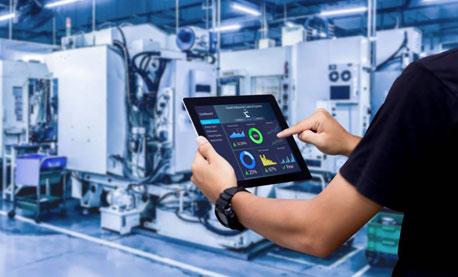
4) Real time reporting and KPIs
Demand dashboards like:
- production output vs plan
- machine utilization (if tracked)
- inventory value and aging
- purchase delays and shortages
- scrap and rework cost
- order fulfillment rate (OTIF)
5) Integration capability
ERP should integrate with:
- barcode scanners
- weighing scales (process industries)
- accounting software
- POS/retail systems (if you sell directly)
- e-invoicing or VAT tools (if needed)
5. Pricing How to Compare Manufacturing ERP Cost Properly
ERP pricing depends on:
- number of users
- number of modules
- number of factories/warehouses
- customization requirements
- implementation and training scope
- support SLA and maintenance cost
Hidden costs to watch
- data migration and item master setup
- BOM creation and validation
- training cost (store production QC management)
- customization and report development cost
- support renewal charges
- hardware cost (server tablets barcode printers)
6. Vendor Evaluation (Don’t Skip This)
ERP success depends more on implementation than software features.
Choose a vendor who provides:
- strong discovery process they study your workflow
- clear implementation plan
- training and documentation
- post go live support
- realistic timelines (not overpromises)
- references from similar factories (if possible)
Red flags
- Our ERP fits everyone without asking questions
- no pilot plan
- unclear support and SLA
- no audit logs or security policy
- no data export option
7. A Practical ERP Demo Script Use This in Every Demo
Ask vendors to show these live:
- Create a sales order generate production order
- Show BOM and routing for a product
- Run MRP and show material shortages
- Create purchase request/PO from MRP suggestion
- Receive raw materials (GRN) and see stock update
- Issue materials to production and start WIP tracking
- Update production output by stage and record scrap
- Run QC inspection and show reject/rework flow
- Move finished goods to warehouse and dispatch to customer
- Show key reports (plan vs actual inventory valuation scrap trend)
8. Implementation Plan That Doesn’t Stop Production
ERP fails when it’s deployed all at once. A phased rollout works best.
Recommended rollout phases
Phase 1 (Foundation): item master inventory purchasing
Phase 2 (Core manufacturing): BOM production orders WIP tracking
Phase 3 (Planning): MRP scheduling shortage alerts
Phase 4 (Quality and costing): QC scrap/rework cost reporting
Phase 5 (Advanced): maintenance BI dashboards integrations
Why GCTL Infosys for Manufacturing ERP?
GCTL Infosys is a Dhaka-based software and web development company delivering tailored solutions. For factories we help design and implement:
- Manufacturing ERP system (BOM MRP production inventory)
- Purchase and supplier management
- WIP and shop floor tracking dashboards
- QC and defect trend reporting
- Barcode based inventory control (optional)
- Costing and profitability reports
- Role based access approvals and audit logs
- Integration with accounting POS and other systems
- Training implementation and ongoing support
We build systems around your factory workflow so your team can adopt it without friction.
FAQs
1) What is manufacturing ERP software?
It’s an ERP system designed for factories to manage production inventory BOM MRP QC purchasing dispatch and reporting in one platform.
2) Which modules are most important for a factory ERP?
Inventory BOM MRP production planning WIP tracking purchasing and basic reporting are the most essential.
3) What is MRP in manufacturing ERP?
MRP (Material Requirements Planning) calculates what materials you need how much and when based on BOM stock and production plans.
4) Should I choose cloud or on-premise ERP for my factory?
Cloud is best for remote access and easy scaling. On-premise is best if internet is unreliable and you prefer local control.
5) How long does it take to implement manufacturing ERP?
A phased rollout can start quickly for inventory and purchasing while full manufacturing (MRP WIP QC costing) depends on complexity and training needs.