If you run a garments factory in Bangladesh, you already know this reality: even when orders are coming in, profits can still suffer because of delays costing mistakes raw material mismatch poor production visibility and communication gaps between merchandising, planning store production quality and accounts.
That’s why many factory owners and management teams are now searching for the best garments ERP software for factory 2026. A proper Garments ERP Software is no longer just a nice-to-have IT system. It has become a practical business tool to control operations from PO to shipment reduce manual errors improve delivery performance and protect margins.
In this people-first guide we’ll walk through exactly how to choose the right garments ERP for your factory without overbuying features without creating user resistance and without turning implementation into a headache.
About GCTL Infosys: GCTL Infosys is a leading software and web development company based in Dhaka Bangladesh specializing in software development, website design and IT consultancy. We build tailored digital solutions including ERP systems for factories and enterprises to help businesses operate more efficiently and scale with confidence.
Why Garments Factories Need ERP in 2026
Garments manufacturing is one of the most process-heavy industries. A single order touches multiple teams:
- Merchandising
- Sampling
- Costing
- Planning
- Procurement
- Store/Inventory
- Cutting
- Sewing
- Finishing
- Quality
- Commercial/Shipping
- Accounts
- HR & Payroll (optional but valuable)
When these teams use separate Excel files, WhatsApp messages, handwritten logs, and disconnected software, common problems appear:
- Order status confusion
- Missed deadlines
- Excess or shortage of fabric/trims
- Incorrect costing and margin calculation
- Production bottlenecks not detected early
- Poor traceability of issues
- Inaccurate reporting for management and buyers
A garments ERP software system solves this by creating one connected workflow.
What Is Garments ERP Software?
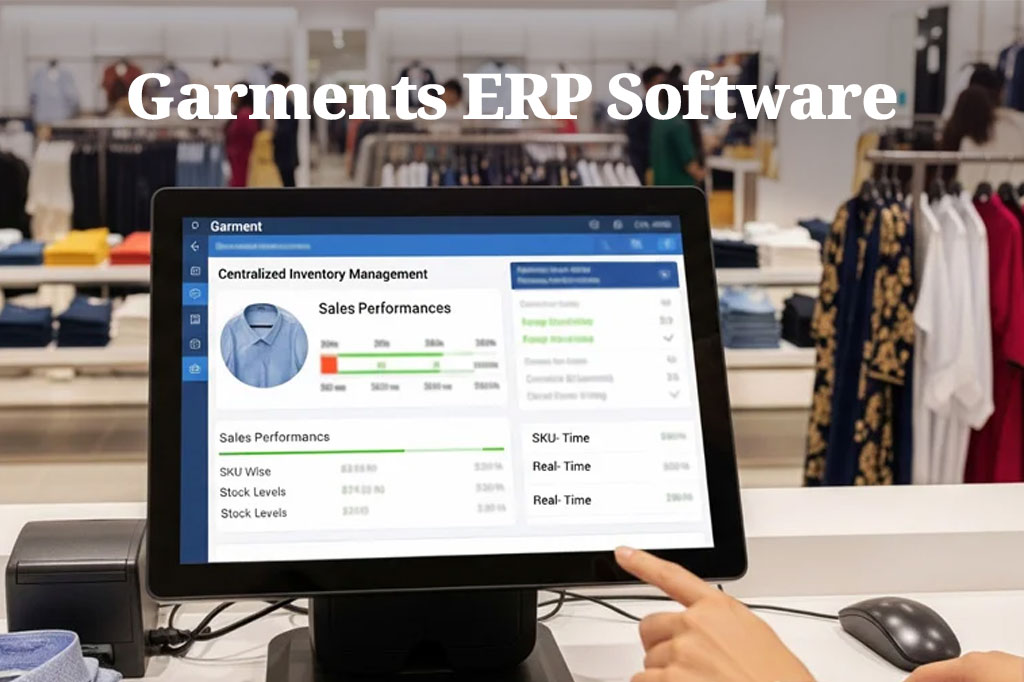
Garments ERP Software (also called apparel ERP or garment factory management software) is a specialized ERP system designed for apparel manufacturing operations. It connects business functions like:
- Merchandising and buyer order management
- Costing and BOM
- Fabric and trims inventory
- Production planning and line loading
- Work-in-progress (WIP) tracking
- Quality checks and defect reporting
- Shipment and commercial documentation
- accounts and management reporting
1. Define Your Factory Type and Business Model First
Before choosing any ERP you need clarity about your own operation. The best garments ERP for a woven export factory may not be ideal for a knit unit or sweater factory.
Identify your factory profile
- Knit factory
- Woven factory
- Sweater factory
- Composite factory
- Cut Make-Trim (CMT) / CM factory
- FOB factory
- Subcontracting-heavy operation
- Single unit vs multi-unit factory
Key questions to answer internally
- Do you manage fabric procurement in-house?
- Do you do washing/printing/embroidery internally or via subcontractors?
- Do you need buyer-wise costing control?
- Do you track production line-wise?
- Do you need real-time floor updates or daily summary is enough?
- Do you need commercial/shipping module?
- Do you need HR/payroll integration too?
2. Start With Business Goals Not Software Features
Many factories fail in ERP selection because they start with show me all features.
Instead start with your top problems.
Common ERP goals in garments factories
- Improve order tracking from PO to shipment
- Reduce production delays
- Control fabric and trims consumption
- Minimize costing errors
- Improve planning accuracy
- Track WIP and bottlenecks
- Reduce reporting time for management
- Improve buyer communication with accurate updates
- Increase margin visibility order-wise
3. Know the Core Modules a Garments ERP Should Have
A strong garments ERP is modular. You don’t always need everything on day one but you must know what matters.
1) Merchandising & Order Management
This is usually the starting point.
Must-have capabilities:
- Buyer profile management
- Style/order/PO entry
- Color-size breakdown
- Delivery schedule
- Order revisions and history
- Sample tracking (optional but valuable)
- Buyer communication notes (optional)
2) Costing Module Very Important for Profit Protection
Costing errors can destroy margin before production even starts.
Look for:
- Style-wise costing sheet
- Raw material cost inputs (fabric, trims, accessories)
- CM / labor cost component
- Wash/print/embroidery cost
- Overhead allocation (optional)
- Margin calculation
- Costing revision history
3) BOM and Consumption Management
Your ERP should support:
- Bill of Materials (BOM) by style
- Fabric consumption
- Trims and accessories consumption
- Wastage allowance
- Revision/version control
4) Procurement & Supplier Management
Garments factories deal with many suppliers and delivery deadlines.
Features to prioritize:
- Purchase requisition (PR)
- Purchase order (PO)
- Supplier management
- Material receiving (GRN)
- Pending delivery tracking
- Supplier due/payment linkage (if accounts integrated)
A delay in trims can delay shipment. Procurement visibility is critical.
5) Inventory Store Management Fabric Trims Accessories
This is where many factories struggle.
A good garments ERP should track:
- Fabric stock by type/lot/color
- Trims stock by item/specification
- Receiving, issue, return
- Stock transfer between stores/units
- Stock balance and reorder alerts
- Dead stock / slow-moving stock (optional)
- Lot/batch traceability (helpful for quality issues)
6) Production Planning & Line Loading
This is the heart of factory execution.
Look for:
- Production plan by order/style
- Line allocation / line loading
- Target vs actual output tracking
- Operation-wise progress (basic or advanced)
- Daily production updates
- Delay alerts / bottleneck visibility
7) Work-in-Progress (WIP) Tracking
WIP visibility helps you answer:
- Where is the order stuck?
- How much is completed?
- What is pending by process?
This is especially useful for multi-stage production with subcontracting or multiple floors.
8) Quality Management (QC)
Quality issues impact rework, delay, and buyer trust.
A practical garments ERP may include:
- Inline inspection records
- End-line inspection
- Defect type tracking
- Rejection/rework reports
- Buyer audit records (optional)
9) Commercial Shipment Module If Needed
For export-focused factories, this can be very helpful.
Possible features:
- Shipment planning
- Packing list data
- Carton details
- Invoice support data
- document checklist tracking
- Handover status to commercial team
This reduces last-minute shipment chaos.
10) Accounts & Finance Integration (High Value)
Even if you already use accounting software ERP integration helps a lot.
Useful connections:
- Purchase supplier payable
- Inventory issue cost tracking
- Shipment/invoice receivable
- Order-wise profitability (advanced but powerful)
This gives management a clearer financial picture.
4. Evaluate Real Time Tracking vs Practical Usability
Many ERP demos look impressive but become difficult for teams to use.
What matters more than fancy screens
- Simple data entry forms
- Role-based access (merchandiser sees merchandising, not everything)
- Quick search and filters
- Mobile-friendly reporting for management (optional)
- Fast loading and stable performance
5. Check Bangladesh Factory Fit Very Important
Garments factories in Bangladesh often need flexibility because processes vary by factory and buyer.
Look for ERP software that supports:
- Customizable workflows
- User permissions by department
- Editable report formats
- Local operational practices
- Multi-unit / multi-factory structure (if needed)
- Support for English-first workflow (most factories use English terms)
6. Ask About Customization vs Standard Product
This is one of the biggest decision points.
Standard ERP (less customization)
Pros
- Faster deployment
- Lower initial cost
- Proven workflows
Cons
- May not match your exact process
- Customization limits
Customizable Garments ERP
Pros
- Matches your factory workflow
- Better long-term fit
- Can add modules later
Cons
- Higher planning effort
- Needs clearer requirement definition
7. Cloud vs On-Premise vs Hybrid ERP for Factory Use
Cloud ERP
Pros: easy multi-location access management can monitor remotely
Cons: depends on internet stability recurring hosting cost
On-Premise ERP
Pros: local control, can be preferred for internal IT policies
Cons: server maintenance backup responsibility remote access setup needed
Hybrid ERP
Pros: local stability remote reporting, practical for many factories
Cons: slightly more technical setup
Choose based on:
- Internet reliability in factory location
- IT support availability
- Number of locations
- Owner/management reporting needs
8. Reporting and Dashboard Requirements What Management Actually Needs
A garments ERP becomes valuable when reports are useful and timely.
Must-have reports for factory management
- Order status report (PO to shipment stage)
- Production target vs actual
- Line-wise performance
- Fabric/trims stock report
- Material requirement vs stock availability
- Order delivery schedule / delay alert
- Costing vs actual (if available)
- Buyer-wise order summary
- Shipment readiness report
Why this matters
Management should not wait hours (or days) for compiled Excel reports. ERP should reduce reporting time dramatically.
9. Integration Needs You Should Consider
Ask yourself what systems or devices need to connect with ERP.
Potential integrations:
- HR & Payroll system
- Accounting software
- Barcode / scanning system (store/warehouse)
- Biometric attendance (if ERP includes HR)
- Buyer portal data import (advanced, optional)
- Excel import/export tools
10. Data Migration and Master Data Preparation Often Ignored
ERP selection is only the beginning. Success depends on data preparation.
Data you need ready
- Buyer list
- Supplier list
- Item master (fabric, trims, accessories)
- Style/order history (if importing)
- Stock opening balances
- Process definitions
- User list and roles
11. User Training and Change Management Critical for Adoption
Garments ERP projects often fail not because of software but because teams resist change.
Practical change management tips
- Appoint one internal ERP coordinator
- Train by department (not all together)
- Start with core modules
- Use real factory examples in training
- Provide SOPs (step-by-step usage guides)
- Collect feedback and improve screens/reports
12. Implementation Strategy Go Phased Not Big Bang
A phased rollout is safer for factories.
Suggested implementation phases
Phase 1: Merchandising Costing Order Management
Phase 2: Procurement Inventory/Store
Phase 3: Production Planning WIP QC
Phase 4: Commercial/Shipment Accounts integration (if needed)
13. Vendor Evaluation Checklist Use This Before Final Decision
When comparing ERP vendors ask:
- Do you have experience with garments/apparel factories?
- Can you demo merchandising production shipment workflow?
- Can your ERP handle our factory type (knit/woven/sweater/composite)?
- Which modules are standard and which need customization?
- How do you handle support after go-live?
- What training is included?
- Can reports be customized for our management team?
- How does data backup and security work?
- Can we scale to multiple units/factories later?
- What is the implementation timeline and milestone plan?
Common Mistakes to Avoid When Choosing Garments ERP Software
- Choosing only by lowest price
- Buying too many modules at once
- Ignoring user adoption and training
- Not checking inventory/store workflow properly
- Skipping costing/BOM requirements
- No clear implementation owner from factory side
- Expecting ERP to fix all process problems instantly
- Not defining reports before go-live
Why Choose GCTL Infosys for Garments ERP Software?
GCTL Infosys builds ERP and factory software solutions around real business workflows in Bangladesh. For garments factories we can provide modular scalable solutions tailored to your operation including:
- Merchandising & order management
- Costing and BOM workflows
- Procurement and supplier tracking
- Fabric/trims inventory management
- Production planning and progress monitoring
- QC and reporting modules
- Custom dashboards and management reports
- Integration support and future scalability
- Training and long-term technical support
FAQs
1) What is the best garments ERP software for a factory in 2026?
The best garments ERP software is the one that fits your factory workflow (knit/woven/sweater) supports key modules like merchandising, costing inventory and production tracking and provides reliable support after implementation.
2) Do small or mid-size garments factories need ERP software?
Yes. Even mid-size factories benefit from ERP because order tracking, material control, and production planning become difficult with Excel and manual files as order volume grows.
3) Should I choose a cloud or on-premise garments ERP?
It depends on your internet reliability IT team capability and reporting needs. Many factories prefer hybrid setups for operational stability and remote monitoring.
4) How long does garments ERP implementation take?
It depends on modules customization level and data readiness. A phased implementation usually works best and reduces operational risk.
5) Can garments ERP software integrate with accounts and HR/payroll?
Yes, many garments ERP systems can integrate with accounts and HR/payroll modules helping management see a more complete operational and financial picture.