Choosing the best scheduling management software can feel simple until you realize scheduling isn’t just putting names on a calendar. Scheduling is about protecting your time your team’s time and your customers experience. If schedules are handled through phone calls notebooks spreadsheets or WhatsApp messages businesses quickly face the same problems: missed appointments double bookings staff conflicts late service unhappy customers and a lot of daily stress.
That’s why so many companies are searching for how to choose the best scheduling management software for your business. The right scheduling system helps you organize appointments shifts resources and reminders in one place so work flows smoothly and everyone stays aligned.
In this people first in depth guide you’ll learn:
- What scheduling management software really does
- Which type of scheduler your business needs (appointments vs shifts vs resources)
- The must have features that actually matter
- How to compare pricing and avoid hidden costs
- How to evaluate vendors and implement smoothly
- A simple checklist to choose confidently
What Is Scheduling Management Software?
Scheduling management software is a tool that helps a business plan and manage time based activities like appointments, staff shifts deliveries meetings, service bookings, resource allocation and reminders.
Depending on your business it can include:
- Appointment booking calendar
- Staff shift scheduling
- Automated reminders (SMS/email/WhatsApp)
- Online booking page
- Team availability management
- Customer database and booking history
- Workflow and status tracking
- Reporting (no shows utilization peak hours)
In simple words: it prevents chaos and protects your time.
Why Businesses Need Scheduling Software The Real Problems It Solves
If you’re running schedules manually, you’ve probably faced:
- Double bookings
- Forgetting appointments
- Customers not showing up
- Staff schedule conflicts
- Confusing WhatsApp threads
- Last minute changes causing service delays
- Owners spending too much time managing calendar drama
Scheduling software fixes this by:
- Centralizing scheduling information
- Making availability visible
- Automating confirmations and reminders
- Tracking changes and keeping logs
- Reducing no-shows and miscommunication
1. Identify What You’re Scheduling Appointments Shifts or Resources
The best scheduling management software depends on your scheduling type.
A) Appointment based scheduling
Best for:
- Clinics and diagnostic centers
- Salons and spas
- Car service appointments
- Consultants and agencies
- Coaching centers and tutors
- Repair services and home services
You need:
- Booking slots
- Service types and durations
- Customer details
- Reminders and confirmation
- Online booking
B) Staff shift scheduling
Best for:
- Restaurants
- Retail shops
- Factories and warehouses
- Security services
- Call centers
- Delivery teams
You need:
- Shift templates (morning/evening/night)
- Availability and time off requests
- Overtime tracking
- Role based staffing (cashier waiter nurse)
- Conflict alerts
C) Resource scheduling
Best for:
- Service bays in workshops
- Meeting rooms and equipment booking
- Rental services
- Field service teams
You need:
- Resource availability
- Capacity limits
- Booking conflicts prevention
- Assignment to staff resource together
Tip: Many businesses need a mix (e.g., salon needs appointments + staff shifts). Choose software that supports your real scenario.
2. Make a Must Have Feature List Before You See Demos
This step saves you from buying software based on flashy extras.
Common must haves for most businesses
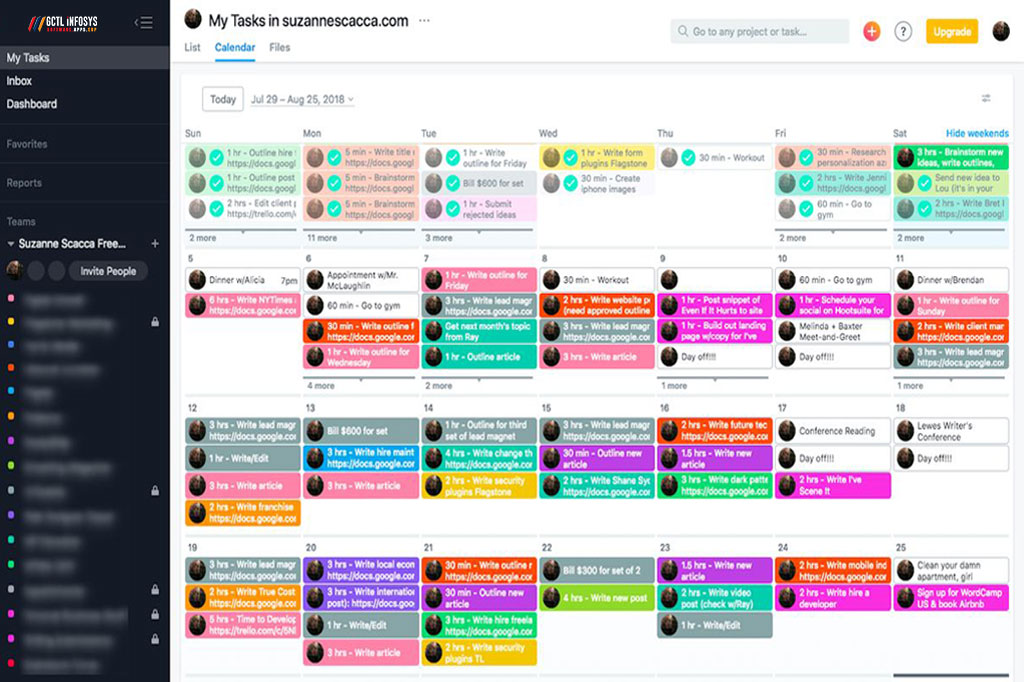
- Easy calendar view (daily weekly monthly)
- Drag and drop rescheduling
- Customer contact info and booking history
- Automated confirmations and reminders
- Team user access (multiple staff)
- Permission control (who can edit what)
- Mobile friendly access
- Reporting dashboard
- Data export (Excel PDF)
- Backup and security
Then add your industry needs (we’ll cover those next).
3. Key Features to Look for Based on Real Business Use
1) Online booking if customers book services
A good online booking system should offer.
- Booking link booking page
- Service selection (service name duration)
- Available time slots only (no overbooking)
- Customer details capture (phone email)
- Booking confirmation message
This reduces phone calls and saves time.
2) Automated reminders the no show killer
Look for:
- SMS/email reminders
- Custom reminder timing (24h before 2h before)
- Reschedule/cancel link
- Reminder history
If your business suffers from no-shows, reminders alone can improve revenue.
3) Real time availability and conflict prevention
The system should automatically prevent:
- double booking
- booking outside working hours
- booking a staff member who is on leave
- overloading a resource (like a service bay)
4) Staff and role scheduling for shift based teams
For shift scheduling prioritize:
- Shift templates
- Time off requests and approvals
- Overtime rules
- Shift swap request (optional)
- Conflict alerts (overlapping shifts)
5) Customer database booking history
This helps you.
- recognize repeat customers
- personalize service
- track missed appointments
- improve customer support
6) Notifications and internal updates
Best systems notify:
- staff about new bookings
- changes and cancellations
- schedule updates
- approvals for leave time off
7) Reports and analytics to improve scheduling
Important reports include:
- no show rate
- peak booking time
- staff utilization rate
- cancellations
- average service time
- revenue per booking if integrated
These insights help you schedule smarter.
4. Decide Cloud vs Offline Scheduling Software
Cloud scheduling software
Best for: businesses that want access from anywhere and easy collaboration.
Pros
- Works on phone laptop anywhere
- Automatic backup
- Easy updates and support
- Great for multi branch businesses
Cons
- Internet dependency
- Subscription cost
Offline on premise scheduling system
Best for: limited internet environments or strict internal control.
Pros
- Works locally without internet
- One time license often
Cons
- Harder remote access
- Manual backups and updates
- Not ideal for multi-location teams
5. Integrations That Matter So Scheduling Doesn’t Stay Isolated
Scheduling becomes much more valuable when it connects with your other tools.
Useful integrations
- CRM lead customer pipeline
- HR payroll shift hours overtime
- POS billing invoice after service
- WhatsApp SMS gateway reminders
- Payment gateway booking deposits
- Google Calendar sync optional
If you want one connected workflow ask vendors if they offer API integration.
6. Compare Pricing the Smart Way Avoid Surprises
Scheduling software pricing usually depends on:
- Number of users staff
- Number of locations branches
- SMS WhatsApp message volume
- Features online booking reports payments
- Customization and branding
- Support level
Common pricing models
- Monthly subscription per user
- Monthly package fixed users limits
- Annual subscription (discounted)
- One time setup monthly support
Hidden costs to ask about
- Setup and onboarding fee
- SMS WhatsApp charges
- Extra user charges
- Custom feature cost
- Support renewal cost
- Data migration cost
7. Security Access Control and Data Ownership
Scheduling data includes customer contacts and business operations. Protect it.
Look for:
- Role based permissions admin manager staff
- Audit logs who edited schedule
- Data backup policy
- Export option so you own your data
- Secure hosting for cloud systems
If the system is cloud based ask where data is hosted and how backups work.
8. Test With Real Scenarios Don’t Buy Without a Practical Demo
During demo or trial, test these real situations:
- Create an appointment in 30 seconds
- Reschedule it drag and drop
- Cancel it and notify customer automatically
- Add a staff leave and see if it blocks availability
- Create recurring schedules weekly shifts or repeat appointments
- Generate a no show report
- Check mobile usability
If these basic tasks feel complicated adoption will be difficult.
9. Implementation Plan (People First Rollout)
Even great software can fail if your team feels overwhelmed.
A simple rollout plan
Phase 1: Setup services business hours staff roles and basic calendar
Phase 2: Enable reminders and online booking
Phase 3: Add shift scheduling and approvals (if needed)
Phase 4: Reporting integrations (CRM billing HR)
Train one schedule champion first then expand training to others.
10. Choose the Right Vendor Support Matters More Than Features
Scheduling is daily business-critical. If support is weak, frustration grows.
Choose a provider who offers.
- Quick setup and onboarding
- Training for staff
- Fast support (WhatsApp phone email)
- Regular improvements and updates
- Customization if your workflow is unique
Vendor red flags
- No clear support channel
- No documentation
- No data export option
- Slow response during the sales stage
Best Scheduling Software for Different Business Types Quick Guidance
For clinics and service appointments
- Online booking reminders patient/customer history
For restaurants and retail
- Shift planning time off role based staffing
For workshops and service centers
- Appointment service bay resource scheduling status tracking
For field service businesses
- Technician availability route time planning customer updates
The best scheduling management software is the one that matches your workflow, not the one with the biggest feature list.
How GCTL Infosys Helps Businesses Build Scheduling Systems
GCTL Infosys is a Dhaka based software and web development company delivering tailored digital solutions. We help businesses with:
- Appointment booking systems
- Staff shift scheduling systems
- Multi-branch scheduling dashboards
- SMS WhatsApp reminder automation (optional)
- Customer database and booking history
- Integration with POS HR CRM and ERP
- Secure access control and reporting
- Training and long-term support
If your business needs a system tailored to your operations not generic we can build a scheduling solution designed around your process.
FAQs
1) What is scheduling management software used for?
It helps businesses manage appointments, staff shifts and resource availability with reminders conflict prevention and reporting.
2) Can scheduling software reduce no shows?
Yes. Automated confirmations and reminders (SMS email WhatsApp) significantly reduce missed appointments in many businesses.
3) Should I choose appointment scheduling or shift scheduling software?
It depends on your business. Many tools offer both choose one that matches your workflow (appointments shifts or resources).
4) What features should I prioritize when choosing scheduling software?
Calendar usability reminders conflict prevention team access permissions mobile support and reporting are the most important.
5) How long does it take to implement scheduling software?
Basic setup can be done quickly while customization and integrations may take longer depending on business complexity.