If your organization runs a canteen whether it’s for a factory corporate office school hospital, or university you already know that canteen operations are not as simple as they look. Daily meal counts change, queues get busy food wastage happens subsidy calculations become confusing and it’s hard to confirm whether the right person received the right meal. That’s why more organizations are now searching for how to choose the best canteen management software solution because a smart digital system can reduce wastage, improve speed and give you clean control over cost and consumption.
In this people first in depth guide we’ll explain how to choose the best canteen management software solution for your organization what features matter most how to compare vendors and how to implement without disrupting daily service.
What Is Canteen Management Software?
Canteen management software is a system that helps you manage daily canteen operations in a structured way. It typically covers:
- Meal planning and menu management
- Token/QR/RFID based meal distribution
- Billing (cash employee payroll deduction subsidy)
- Employee or student meal eligibility
- Daily consumption tracking
- Inventory and raw material management
- Vendor/supplier and purchase tracking
- Reports on cost wastage and consumption trends
it replaces guesswork and manual registers with accurate data.
Why Organizations Struggle With Manual Canteen Systems
Most canteens start with notebooks and manual counting. But as the number of people increases problems become expensive.
Common issues without software
- Wrong meal count leads to food shortage or wastage
- Long queues due to slow serving and verification
- Unauthorized meal collection friends taking extra meals
- Subsidy calculation errors (who should pay how much?)
- No clear daily/weekly consumption report
- Inventory gets mismanaged (missing items overbuying)
- Cash leakage and untracked transactions
A canteen system isn’t just convenience it’s cost control.
1. Identify Your Canteen Type and Use Case
The best canteen management software depends on who you serve and how.
Common organizational canteen types
- Factory canteen (shift based meals high volume)
- Corporate canteen (monthly subsidy controlled access)
- School/college canteen (student meal cards prepaid balance)
- Hospital canteen (staff patient attendants visitors)
- University cafeteria (multiple outlets high traffic)
Ask these questions first
- How many meals are served per day?
- Do you serve breakfast/lunch/dinner? Multiple shifts?
- Do you have a subsidy or payroll deduction?
- Do you need meal eligibility control (only one meal per person)?
- Do you need tokens QR codes RFID cards or mobile based check in?
- Do you want inventory purchase tracking in the same system?
Your answers will shape the right solution.
2. Decide How Meals Will Be Issued Token QR RFID or Mobile
This is the heart of a canteen management system.
1) Token based canteen system
People collect a token and exchange it for a meal.
Best for: simple setups, moderate control.
Limitations: tokens can be shared or duplicated if not well managed.
2) QR code based canteen management
Employees/students scan a QR code at the serving point.
Best for: fast service strong control easy tracking.
Bonus: can work with printed cards or mobile QR.
3) RFID card canteen management system
Users tap a card to receive meals.
Best for: factories and high-volume canteens.
Pros: very fast durable simple for users.
Consideration: requires RFID reader hardware.
4) Mobile app-based meal access
Users show an app code and confirm the meal.
Best for: corporate offices or tech friendly environments.
Consideration: not ideal for all users in factory settings.
Practical advice:
For high volume organizations RFID or QR is usually the most efficient.
3. Must Have Features for the Best Canteen Management Software
Here’s what you should prioritize when evaluating solutions.
1) Meal Eligibility Rules Prevents Abuse
A good system should control:
- one meal per person per session
- breakfast lunch dinner rules
- shift based eligibility
- guest meal tracking if allowed
- approval for extra meals (optional)
This directly reduces unauthorized consumption.
2) Subsidy and Billing Management Where Most Errors Happen
Organizations often subsidize meals:
- company pays a portion
- employee pays a portion
- payment is deducted from salary
- or prepaid wallet is used
Your software should support:
- subsidy settings by meal type
- employee deduction report for payroll
- prepaid wallet or monthly limit optional
- paid vs unpaid tracking
- department wise cost allocation optional
This makes finance and HR happy.
3) Fast Serving Point Interface Queue Reduction
The serving screen must be fast and simple:
- scan QR / tap RFID
- show eligibility instantly
- show meal type and time
- confirm serve with one click
- work smoothly during peak rush
If it’s slow your queue problem won’t improve.
4) Menu and Meal Planning Optional but Valuable
This includes:
- weekly menu planning
- meal item list (rice curry snacks etc.)
- meal cost per day
- demand forecast based on past data
Helpful for reducing wastage.
5) Inventory and Raw Material Tracking
If you want real cost control inventory matters.
Look for:
- daily raw material usage tracking
- purchase and supplier management
- stock in out and wastage entry
- low stock alerts
- cost reports by ingredient or category (optional)
This is especially valuable for large canteens.
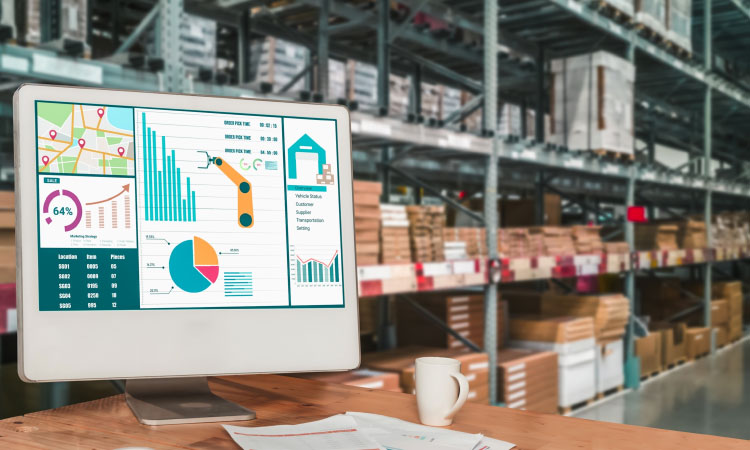
6) Reports and Analytics The Control Room
The best canteen software gives you:
- daily meal served count by meal type
- employee-wise consumption report
- department wise consumption report
- subsidy cost report
- peak hour report for staffing
- wastage report
- inventory usage report if enabled
Reports are where you see ROI.
7) User Roles and Audit Logs
You need permissions:
- admin config access
- canteen operator serve only access
- accounts HR report access
- manager approvals (for extra meals subsidy changes)
Audit logs reduce disputes and manipulation.
4. Integration Needs (HR/Payroll, Attendance, ERP)
For organizations in Bangladesh, canteen systems often work best when integrated.
Useful integrations
- HR & payroll system: automatic deduction
- Employee ID database: auto employee sync
- Attendance system: confirm active employees
- ERP/Accounting: subsidy and expense reporting
- Access control: entry rules (optional)
You can start without integration but choose a solution that can support it later.
5. Cloud vs On Premise Canteen Software
Cloud based canteen system
Pros
- accessible from management anytime
- automatic backups
- easy multi branch setup
- faster updates and support
Cons
- needs internet stability
- subscription cost
On-premise local server
Pros
- works inside local network
- more local control
- suitable for strict policy environments
Cons
- you manage backups
- upgrades can be manual
- harder remote monitoring
Factories with stable networks can use either. If you want remote monitoring, the cloud is usually better.
6. Cost and ROI How to Compare Solutions Fairly
Canteen management software cost depends on:
- number of serving points
- number of users (employees students)
- hardware needs (RFID reader, tablet, printer)
- modules (billing subsidy inventory)
- customization and reporting
- training and support
Hidden costs to ask about
- setup and onboarding fee
- RFID cards and replacement
- device costs (tablet/kiosk)
- SMS notification cost (if used)
- support renewal fee
ROI usually comes from
- reduced food wastage
- reduced unauthorized meal collection
- better purchasing and inventory planning
- faster service and less manpower stress
- accurate subsidy and payroll deduction
7. Vendor Demo Checklist Use This in Every Demo
Ask the vendor to show:
- Register/import employee list
- Set meal rules (1 lunch per day, shift-based)
- Serve meals via QR/RFID in real time
- Apply subsidy rules and generate payroll deduction report
- Handle guest meal and extra meal approval
- View daily meal count report
- View employee wise consumption history
- Inventory purchase entry daily stock usage (if included)
- Audit logs and user permissions
- Export reports to Excel/PDF
If they can’t demonstrate these smoothly, the software may not fit your needs.
8. Implementation Plan People First Rollout
A good rollout avoids disruption.
Recommended rollout
Phase 1: Employee import meal issuance (QR/RFID) daily reports
Phase 2: Subsidy rules payroll deduction report
Phase 3: Inventory and purchase tracking
Phase 4: Integrations (HR/ERP/attendance) advanced analytics
Train canteen operators first. Keep the interface simple. Then expand features.
How GCTL Infosys Helps Organizations Build Smart Canteen Systems
GCTL Infosys is a Dhaka-based software and web development company delivering tailored solutions. We help organizations implement:
- QR/RFID based canteen management software
- meal eligibility and anti abuse controls
- subsidy and payroll deduction workflow
- employee and department reporting dashboards
- inventory purchase and wastage tracking (optional)
- multi serving point and multi-branch support
- role based access and audit logs
- training implementation and long term support
We build systems around your organization’s policy and daily canteen reality so adoption is smooth and results are measurable.
FAQs
1) What is canteen management software used for?
It manages meal distribution tokens QR RFID access billing subsidy inventory tracking and reports to control cost and improve speed.
2) Which is better QR or RFID for a canteen system?
RFID is fastest for high volume factories. QR is flexible and easy to deploy with printed cards or mobile scanning. Both work well.
3) Can canteen software handle employee meal subsidy and payroll deduction?
Yes. A good system can apply subsidy rules and generate payroll deduction reports for HR/accounts.
4) Does canteen management software reduce food wastage?
Yes by improving meal forecasting controlling unauthorized meals and giving accurate consumption reports for planning.
5) How long does it take to implement canteen management software?
Basic meal issuance and reporting can start quickly. Adding subsidy inventory and integrations may take longer depending on requirements.