


ERP Software in Bangladesh
ERP Software in Bangladesh helps growing businesses connect important departments, data and day-to-day workflows through one centralized management system. Instead of maintaining separate spreadsheets or disconnected tools for sales, purchasing, finance, inventory, employees and reporting, an ERP system can bring selected business processes together so authorized teams work with more consistent information.
ERP Enterprise Resource Planning (ERP) Software is one of the latest and sophisticated software to expand business and commerce using artificial intelligence. GCTL Infosys provides ERP solutions for businesses in Bangladesh that need better coordination between departments, clearer operational reporting, structured user access and software that can be configured around their actual workflow.
The right ERP project is not simply about installing more modules. It begins by understanding how sales, purchasing, stock, finance, employees and management reporting currently work together. From there, the required modules, user roles, workflows, integrations and deployment approach can be planned according to the organization. For businesses that need a broader custom software solution rather than ERP, GCTL also provides Software Development services.
ERP Software for Businesses in Bangladesh
As a company grows, information often becomes fragmented.
Sales may maintain one set of records, finance another, inventory a separate spreadsheet and manage another reporting file. Employees then spend time transferring information between departments instead of working from a shared operational process.
An integrated ERP system can help organize these relationships.
For example, a sales order may affect stock availability. Inventory shortages may lead to purchasing requirements. Supplier purchases affect financial records. Management then needs reports that reflect information from all of these activities.
Instead of treating these functions as unrelated systems, ERP can connect selected workflows through a common platform.
A typical ERP implementation may involve areas such as:
- Finance and accounting
- Sales and customer management
- Purchase and procurement
- Inventory and warehouse management
- HR and payroll
- Production or operational management
- User roles and approvals
- Reports and dashboards
- Multi-branch operations
- Integrations with compatible external systems
The final combination should be based on the business requirement rather than automatically enabling every available module.ns.
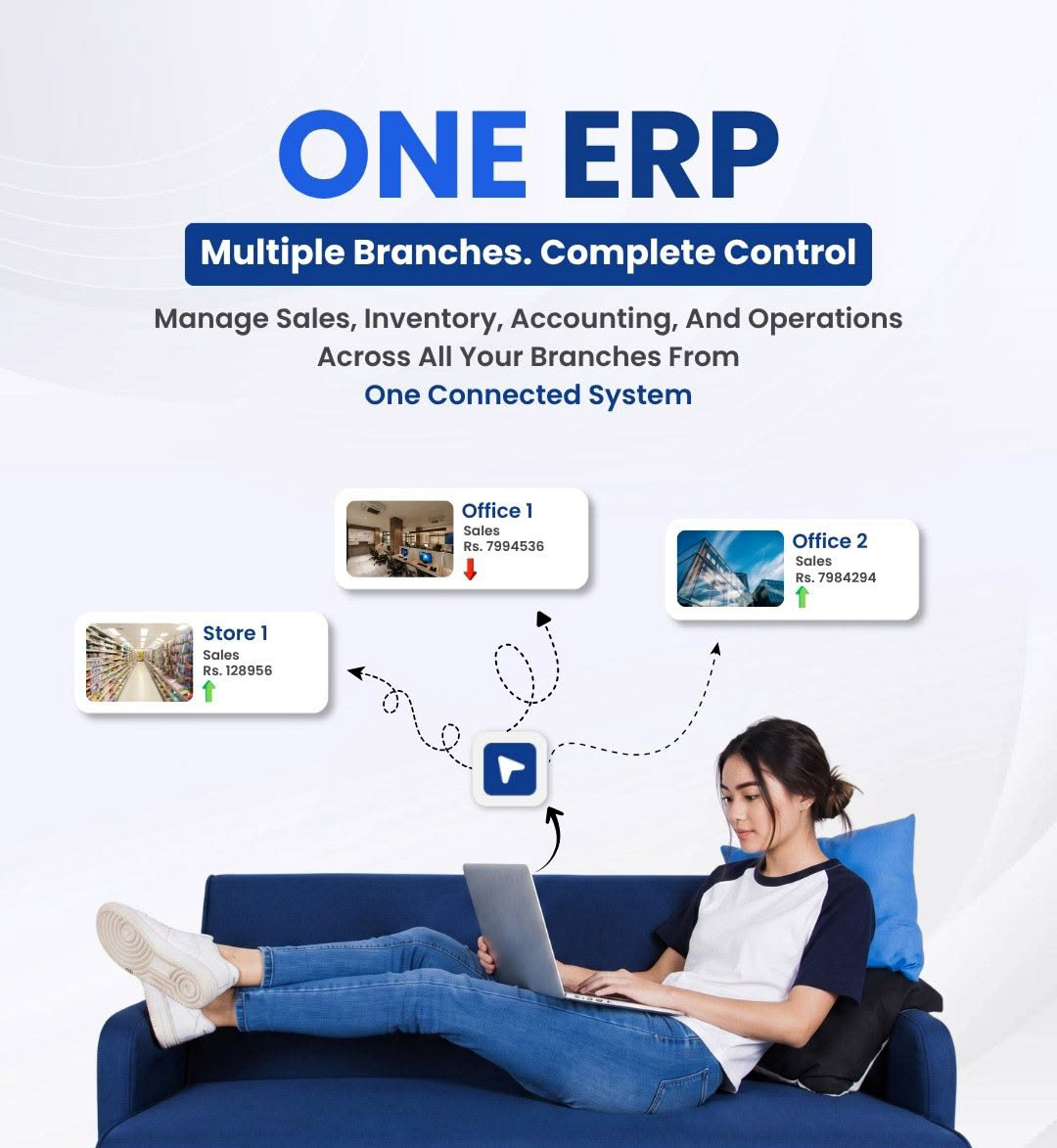
How ERP Connects Business Departments
ERP becomes especially valuable when several departments depend on the same business process.
Consider a simplified trading workflow:
Sales → Inventory → Purchase → Finance → Management Reporting
A salesperson receives an order.
Inventory information helps determine whether stock is available.
If additional stock is required, purchasing may begin a procurement process.
Purchase and sales activities then affect financial records.
Management reports can use information from these connected processes.
Without an integrated system, employees may need to re-enter the same information several times.
That creates unnecessary work and increases the risk of inconsistencies.
An ERP system can instead create a more structured flow where relevant information moves between approved business processes.
ERP Software for SMEs and Growing Businesses
ERP is not only relevant to very large corporations.
A growing SME may begin considering ERP when separate tools become difficult to manage.
Common signs include:
- Several departments maintaining different spreadsheets
- Repeated data entry
- Difficulty comparing sales and inventory information
- Manual approval processes
- Slow management reporting
- Multiple branches using different records
- Limited visibility between departments
For an SME, implementing every possible ERP module from the beginning may not be necessary.
A more practical approach can be to identify the processes creating the most operational difficulty and start with the appropriate modules.
Future expansion can then be considered as the organization grows.
ERP for Multi-Branch and Corporate Organizations
Multi-branch businesses face additional challenges because information is created in several locations.
Management may need company-wide visibility while individual branch users require access only to their own operational responsibilities.
A multi-branch ERP project may therefore need to consider:
- Branch-specific users
- Central administration
- Department permissions
- Stock by location
- Consolidated reporting
- Branch-level reporting
- Approval hierarchy
- Data access rules
These requirements should be defined during implementation rather than added after the system is already in use.
Larger corporate organizations may also require more structured role management, integrations, reporting and deployment planning.

Industry-Specific ERP Options
Different industries may share standard ERP modules, but their operational workflows can be very different.
A trading company and a garments factory may both need finance and inventory, yet the production and commercial processes behind those functions are not the same.
Manufacturing ERP
Manufacturing companies may require production planning, materials management, BOM-related workflows, work-in-progress tracking and additional production reporting.
These specialized requirements are covered on GCTL’s Manufacturing ERP Software page.
Garments and Textile ERP
Garments and textile operations can involve merchandising, fabric and accessories management, production tracking and other industry-specific workflows.
Businesses with those requirements should review GCTL’s dedicated Garments ERP Software in Bangladesh.
The main ERP category intentionally does not duplicate detailed garment-specific modules so each page maintains a clear search intent.
Trading and Distribution
Trading and distribution companies often need strong connections between sales, purchasing, inventory, customers, suppliers and financial records.
The ERP structure should reflect how orders, stock and supplier activities move through the business.
Service Organizations
Service businesses may require fewer inventory or production functions but more emphasis on customers, approvals, billing, employee workflow and management reporting.
The required module mix should be selected according to the actual operating model.
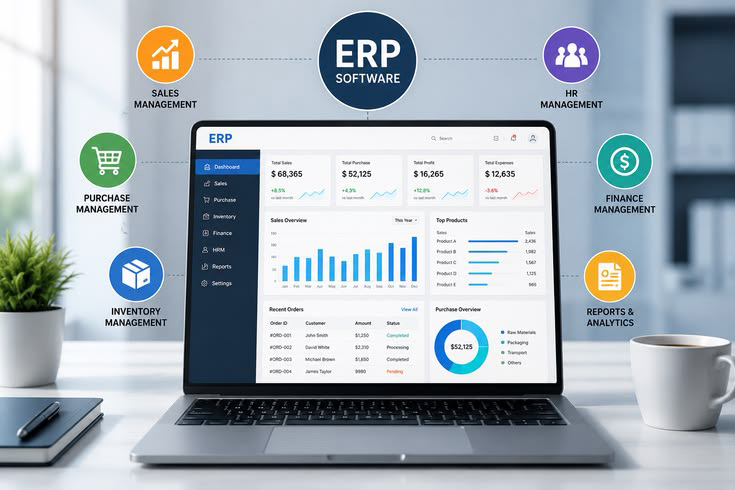
ERP Implementation Process
Successful ERP implementation requires more than software installation.
The project should align the system with the way the organization actually operates.
Requirement Analysis
The first stage is understanding the current business environment.
This can include:
- Departments
- Users
- Existing systems
- Current workflows
- Spreadsheets
- Approval processes
- Reports
- Branches
- Integration requirements
The objective is to identify where ERP can improve coordination without adding unnecessary complexity.
Business Process Mapping
Important workflows should be mapped before configuration begins.
For example, the purchasing team may follow:
Request → Department Approval → Procurement → Purchase Order → Receiving → Accounts
If the workflow is unclear before implementation, ERP configuration may simply digitize an inefficient process.
Module Selection and Configuration
Only modules relevant to the approved scope should be configured.
Users, permissions, workflows, fields and reports can then be aligned with the business requirements.
Data Migration
Existing master data and operational records may need to be imported from spreadsheets or another system.
Migration should include review and validation because inaccurate source data will remain inaccurate after it enters a new ERP platform.
Integration
Where compatible systems need to exchange information, technical integration requirements should be documented.
This may involve APIs, databases or other supported connection methods.
Testing
ERP testing should include realistic business scenarios rather than only checking whether individual buttons work.
A complete purchase, sales or approval process should be tested from beginning to end.
User Training
ERP success depends heavily on adoption.
Employees need to understand:
- Their responsibilities
- Which workflows they use
- Which data they can access
- How to correct errors
- Which reports are relevant to their role
Training should focus on daily work rather than only demonstrating system menus.
Go-Live
After configuration, migration, testing and user preparation are complete, the approved system can move into operational use.
Post-Launch Support
Real usage can reveal additional reporting, workflow or configuration needs.
A clear support arrangement helps the organization address those requirements after launch.
ERP Software vs Standalone Business Software
Not every business needs a full ERP system.
Sometimes a focused standalone solution is the better choice.
| Main Requirement | More Suitable GCTL Solution |
| Finance and accounting only | Accounting Software |
| HR, attendance and payroll | HR and Payroll Software |
| Stock and warehouse control | Inventory Management Software |
| Several departments need to work together | ERP Software |
| Detailed manufacturing lifecycle | Manufacturing ERP Software |
| Garments and RMG workflow | Garments ERP Software |
This distinction matters because choosing ERP simply because it offers more modules can create unnecessary complexity.
ERP makes the most sense when several business functions need to share data and workflows through one integrated environment.
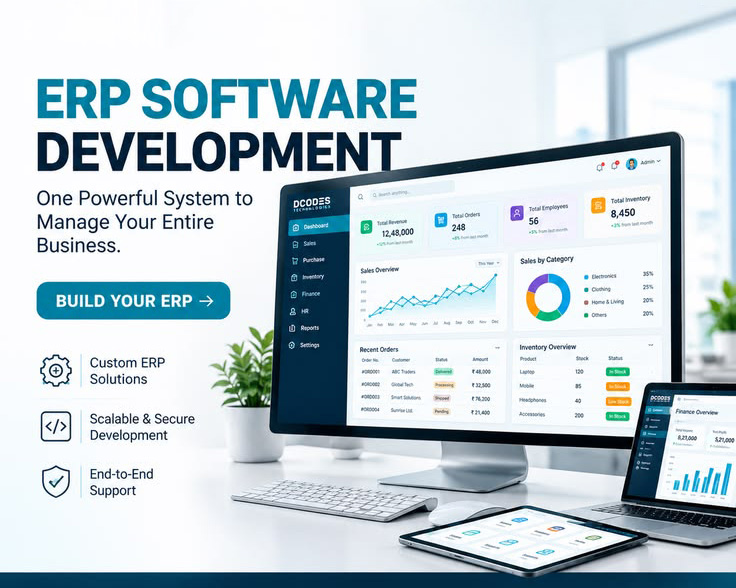
How to Evaluate an ERP System Before Buying
A product demo should reflect your actual business rather than showing only a generic dashboard.
Prepare a few real workflows before the demonstration.
For example:
Sales order → Stock check → Delivery → Finance
Purchase request → Approval → Purchase order → Receiving
Employee request → Manager approval
Then ask the vendor to demonstrate how the ERP handles those processes.
Also review:
- User roles
- Approval workflows
- Reports
- Search and filtering
- Multi-branch requirements
- Data migration
- Integration possibilities
- Training
- Post-launch support
A useful demo should help your team understand how the system will fit daily operations.
Who We’ve Worked With – Some of Our ERP Clients
GCTL Infosys has provided Enterprise Resource Planning (ERP) Software to organizations across different industries in Bangladesh, helping teams manage business operations through a centralized system. Our ERP clients include Khulna Shipyard Ltd, a shipyard organization with 500+ users, APEX HUSAIN, from the footwear industry, with 300+ users, Fun Factory, a garments company with 1,000+ users; Miami Associates, operating in the seafood industry, with 200+ users; and Integra Apparels Bangladesh, a garments manufacturer with 1,000+ users. Each of these organizations operates from a single branch and uses GCTL’s ERP solution to support its business-management requirements. These implementations demonstrate the use of ERP Software in Bangladesh across shipbuilding, footwear, garments manufacturing and seafood businesses with different operational scales and user requirements.
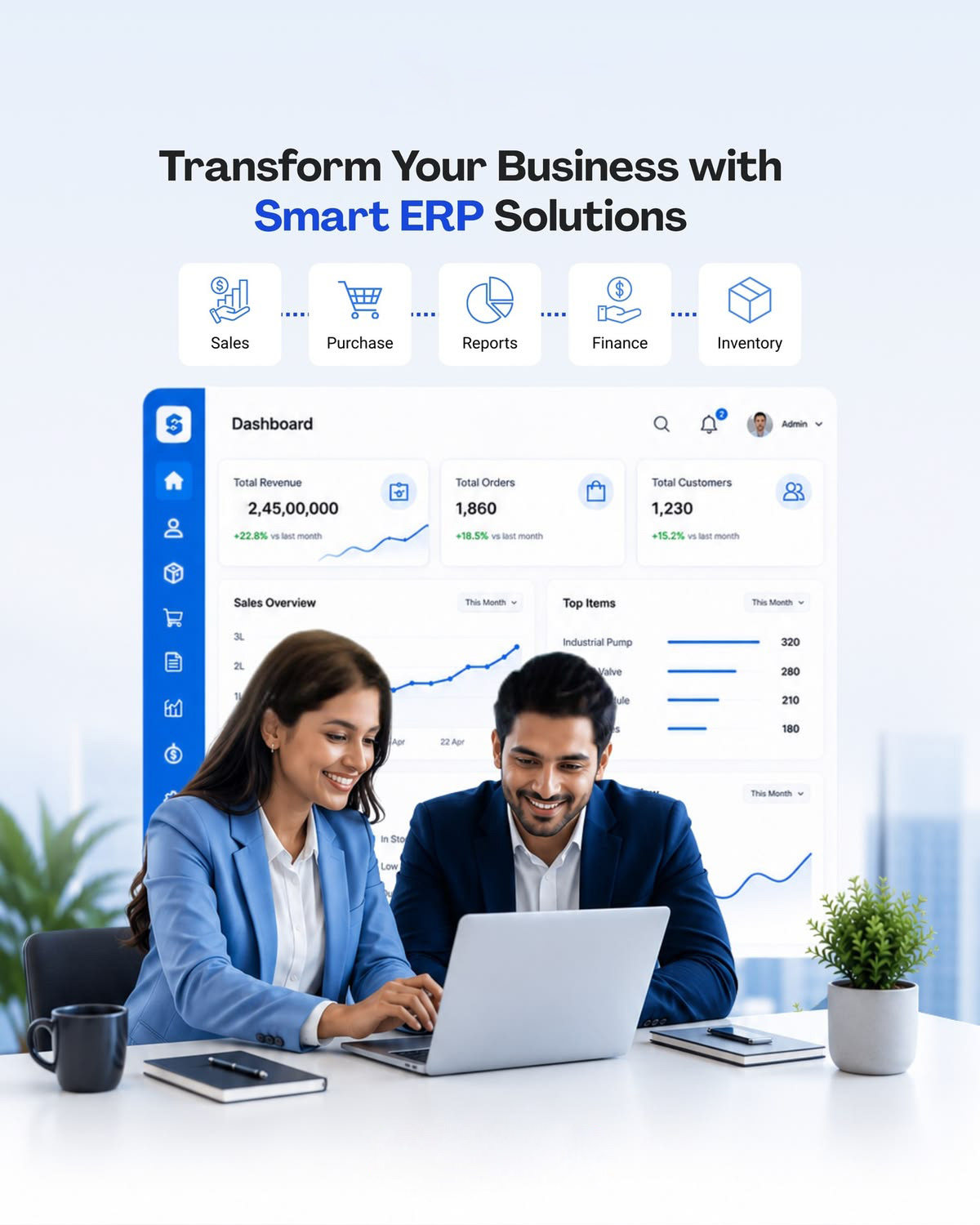
Core Modules of GCTL ERP Software
The value of ERP comes from how its modules work together. A business should therefore evaluate both the functionality of individual modules and how information moves between them.
Finance and Accounting Module
The finance module helps connect financial records with relevant operational activity across the ERP system. Depending on the configured scope, this can include general ledger activities, customer and supplier balances, accounts receivable, accounts payable and management reporting.
The advantage of an ERP finance module is context. A financial transaction can be connected with related sales, purchasing, inventory or other ERP activities rather than existing as an isolated entry.
Businesses whose main requirement is financial management rather than a complete ERP platform should review GCTL’s dedicated Accounting Software in Bangladesh.
Sales and Customer Management
The sales module can help organize the process from customer inquiry or quotation through order processing and related business activities.
Depending on the implementation, sales users may work with:
- Customer information
- Quotations
- Sales orders
- Order status
- Sales history
- Follow-up activities
- Related reports
The purpose is to make customer and sales information available within the broader ERP workflow instead of keeping it in disconnected records.
Purchase and Procurement
Procurement becomes difficult when departments request items independently and purchasing teams have limited visibility into stock or approval status.
An ERP purchasing workflow may connect steps such as:
Request → Review → Approval → Purchase Order → Supplier → Receiving → Finance
The exact workflow should reflect the organization’s purchasing policy.
For larger companies, approval levels, supplier information and purchase history can also be important parts of the process.
Inventory and Warehouse Management
Inventory affects sales, purchasing, finance and operations, making it one of the most important ERP connections for product-based businesses.
Within an ERP environment, inventory workflows may involve stock receipts, issues, transfers, adjustments, warehouse information and related sales or purchase activity.
Businesses that need deeper stock-control functionality as a standalone requirement can explore GCTL’s Inventory Management Software.
Keeping detailed inventory intent on that dedicated page helps businesses choose between standalone stock management and a broader ERP environment.
HR and Payroll Module
Employee data can also be connected with broader business operations where required.
An ERP HR module may support employee-related records and selected workforce-management processes according to the implementation scope.
Businesses whose primary need is attendance, employee records, leave, salary processing and payroll management should use the dedicated HR and Payroll Software in Bangladesh solution.
Production and Operations
Businesses involved in production may require additional workflows beyond standard finance, sales, purchase and stock management.
These requirements can include materials, production orders, planning, work in progress and operational reporting.
Because manufacturing has its own detailed search and functional requirements, GCTL provides a dedicated Manufacturing ERP Software solution.
This main ERP page therefore covers production only at a high level rather than duplicating the full Manufacturing ERP topic.
Reports and Management Dashboard
An ERP dashboard should help management understand what is happening across the business.
Useful reporting depends on the modules being used and the decisions each user needs to make.
A finance manager may require financial information. A sales manager may focus on customers and orders. Inventory users may need stock information, while senior management may require a combined operational overview.
The goal is not to put every available number on one screen. It is to present useful information in a format appropriate to the user.
ERP Software Price in Bangladesh
The ERP Software Price in Bangladesh varies because ERP projects can differ significantly in scope.
A small company using a limited number of modules and users does not have the same requirements as a multi-branch organization with custom workflows, integrations and large-scale data migration.
For this reason, businesses should evaluate ERP cost according to what is included in the implementation.
| Pricing Factor | Why It Affects ERP Cost |
| ERP Modules | Additional modules increase configuration and implementation scope |
| Number of Users | More roles and users can require additional access configuration |
| Branches | Multi-branch operations increase workflow and reporting complexity |
| Customization | Business-specific processes require additional implementation |
| Integration | Connecting APIs or existing systems requires technical work |
| Data Migration | Existing records may need cleaning, preparation and import |
| Deployment | Infrastructure requirements affect implementation planning |
| Training | More departments and users can require additional training |
| Support | Maintenance and support scope vary by project |
A useful ERP quotation should explain which modules, implementation services, training, migration, customization and support activities are included.
Comparing only the final price can be misleading when two vendors are proposing very different scopes.
For an accurate quotation, businesses can contact GCTL Infosys with their module, user, branch and workflow requirements.
ERP Integration and API Requirements
Businesses rarely operate with only one digital platform.
An ERP implementation may need to exchange information with an existing system or third-party service.
Before integration begins, determine:
- What information needs to move
- Which platform owns the original data
- How often data should synchronize
- Which actions can be automated
- How users are authenticated
- What happens if an integration fails
Integration should be planned as part of the architecture rather than added without understanding the operational impact.
Not every system can be integrated in the same way, so technical compatibility should be reviewed during project discovery.
Security, User Roles and Data Backup
ERP systems can contain sensitive financial, employee, customer and operational information. Access control should therefore be planned carefully.
Role-Based User Access
Different departments should receive permissions according to their responsibilities.
For example, an inventory user may not need access to payroll, while HR users may not require purchasing administration.
Administrative Permissions
System configuration and sensitive administrative functions should be limited to authorized users.
Data Validation
Important workflows should include appropriate validation to reduce incomplete or inconsistent information entering the system.
Backup and Recovery Planning
The organization should understand:
- What information is backed up
- How often backups are created
- Who is responsible
- Where backups are stored
- How recovery would work
Backup planning should match the chosen deployment environment.
Reports and Business Intelligence
ERP reporting should help users make decisions based on the processes they manage.
Depending on the configured modules, reports may include information related to:
- Finance
- Sales
- Purchases
- Inventory
- Customers
- Suppliers
- HR
- Operations
- Branches
The most useful reports are those connected with specific management questions.
For example:
Which products are moving fastest?
Which customer balances are outstanding?
Which purchase requests are still pending?
How does current sales activity compare with purchasing?
Actual GCTL ERP screenshots should be placed in this section to demonstrate how reports, dashboards and workflows work in the real system.
ERP Deployment Options
Deployment should be selected according to the organization’s infrastructure, access requirements and IT policy.
The project may need to consider cloud-hosted access, on-premise infrastructure or another agreed deployment model depending on the approved GCTL ERP configuration.
Before making a decision, review:
- Number of locations
- Remote-access requirements
- Internal IT resources
- Internet availability
- Data policy
- Backup responsibility
- Security requirements
- Maintenance resources
The deployment model should fit the organization rather than being selected only because one option is currently popular.
ERP Training and Local Support in Bangladesh
ERP adoption is often more difficult than ERP installation.
Employees may have worked with spreadsheets or manual processes for years. Moving to an integrated system changes how departments record and share information.
For businesses in Bangladesh, access to a local implementation and support team can be useful during:
- Requirement discussions
- Configuration
- Data preparation
- User training
- Go-live
- Troubleshooting
- Future workflow changes
GCTL Infosys provides software sales and support for businesses in the Bangladesh market.
The exact implementation, training and support scope should be agreed as part of the ERP project.
Request an ERP Demo or Quotation
If your organization is looking for ERP Software in Bangladesh, begin with your business processes rather than a generic feature list.
Prepare information about:
- Industry
- Departments
- Number of branches
- Approximate number of users
- Current systems
- Required ERP modules
- Approval workflows
- Existing data
- Required reports
- Integration requirements
- Deployment requirements
- Training needs
- Support expectations
GCTL Infosys can use this information to review the project scope, identify the relevant ERP modules and prepare an implementation proposal. For an ERP demo or quotation, contact GCTL Infosys.
Why Choose GCTL Infosys for ERP Implementation
ERP implementation requires both technical configuration and an understanding of business workflow.
GCTL Infosys provides business software solutions in Bangladesh across ERP, accounting, inventory, HR and other operational areas. The ERP project can therefore be planned around the departments and functions actually required by the organization.
A GCTL ERP project can include, according to the agreed scope:
- Requirement analysis
- Module selection
- Workflow configuration
- User-role planning
- Data migration
- Integration
- Testing
- Training
- Deployment
- Post-launch support
The focus should remain on building an ERP structure that employees can use in their daily work and that management can use for reliable operational visibility.
Key ERP Features at a Glance

Management Dashboard

Sales & Customer Management

Purchase & Supplier Management

Inventory & Warehouse Overview

Finance & Accounting Reports

Customer & Supplier Ledger

Profit & Loss Reporting
